GO54 | WhoGoHost
  • 0 Shopping Cart
  • Home
  • Store
    • Browse All
    • Linux Hosting
    • WordPress Lite
    • WordPress Hosting
    • JavaScript Hosting
    • Python Hosting
    • Reseller Packages
    • DC Google Workspace
    • Microsoft 365
    • GO54 Website Builder
    • SSL Certificates
    • Jetpack WordPress Backup
    • Managed Wordpress Support
    • Professional Email and Workspace
    • Website Security
    • Website Backup
    • Register a New Domain
    • Transfer Domains to Us
  • Announcements
  • Knowledgebase
  • Network Status
  • Affiliates
  • Contact Us
  • More
  • Account
    • Login
    • Register
    • Forgot Password?
  1. Portal Home
  2. Knowledgebase
  3. MarketGoo SEO Tool
  4. Getting Started with MarketGoo SEO Tool
  5. Creating a Google Analytics Account

  Categories

Abuse and Compliance
2
Billing
37
CloudFlare
9
CodeGuard
14
Domain Names
74
Google Workspace (a.k.a G Suite)
42
Hosting and Control Panel (cPanel)
69
Jetpack Backup
6
Managed Wordpress
9
Microsoft 365
12
Miscellaneous
5
New Account
11
Resellers
41
SiteBuilder
38
SiteLock
17
SSL Certificates
24

  Categories

  Support

Announcements
Knowledgebase
Downloads
Network Status
Open Ticket

Creating a Google Analytics Account Print

  • 0

Google Analytics is a web analytics service offered by Google that helps to track and report website traffic.

  1. Visit the Google Analytics site to sign up with your email to create an account. 
  2. Step 2: Create a user name 
  3. Step 3: Set what you want to measure with analytics (Web, App or both)
  4. Step 4: Fill in your website name and url
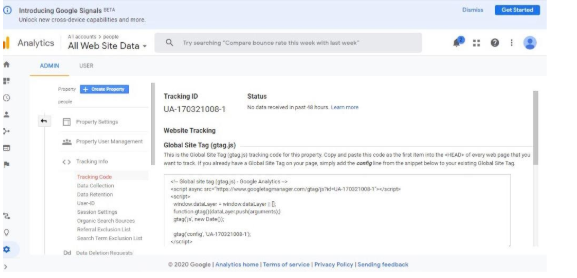
  5. Step 5: Your account is ready and a tracking code is generated which you would place on your website 

Was this answer helpful?

Related Articles

Adding Google Analytics To Your Website You can either add Google Analytics to your site either by adding manually or using a plugin if... Adding A New Page For Optimization using MarketGoo SEO Tool Adding a new page to optimize can help improve your website traffic because you are able to find... Managing Your Competitors using MarketGoo SEO Tool When you have added your keywords, it’s time to add your competitors and track their actions.... Adding Keyword Tracking To Your Website using MarketGoo SEO Tool Think about the keywords you will like to rank for, then start optimising your website for those... Setting Up Your Website On MarketGoo SEO Tool For The First Time To access your marketgoo SEO tool. follow the steps below Access your Market Goo account in...
« Back

  Support

Announcements
Knowledgebase
Downloads
Network Status
Open Ticket
  • Contact Us
  • Terms of Service

Copyright © 2026 GO54 | WhoGoHost. All Rights Reserved.


Loading...
Loading...

Choose Currency

N NGN
$ USD
K KES
GHc GHS

Generate Password

Please enter a number between 8 and 64 for the password length