
Follow these steps to configure your webmail on your iOS device:
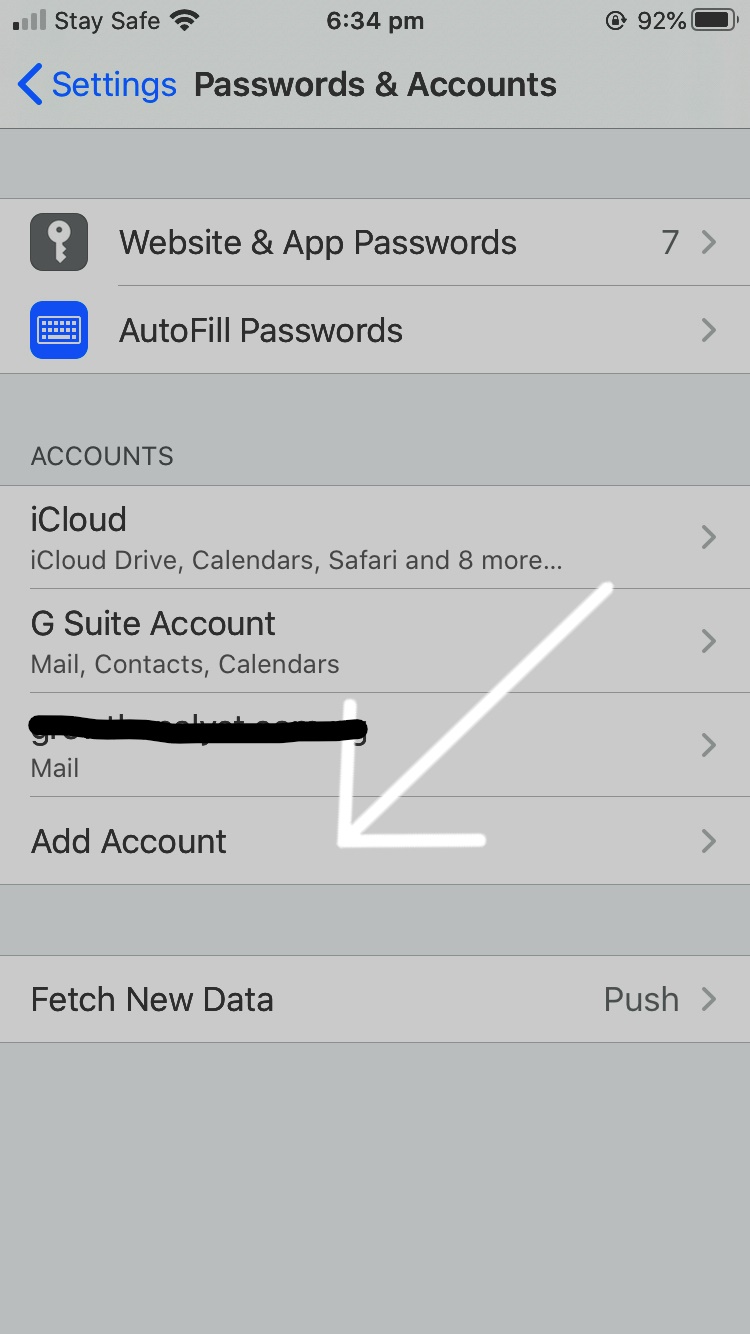
- Open Settings on your device. Scroll down and tap Passwords & Accounts.

2. Tap Add Account.
3. Select Other.

4. Tap Add Mail Account.

5. Choose your account type: POP3 or IMAP.

6. Enter the following details on the New Account page:
- Name: Your name (as you want it displayed)
- Email: Your full email address (e.g., email@yourdomain.com)
- Username: Your full email address
- Password: Your email password
- Incoming Mail Server: mail.yourdomainname.com
- Outgoing Mail Server: mail.yourdomainname.com
7.Once verification completes, tap Save at the top of the screen.
If you run into any issues, email support@whogohost.com for assistance.
