What is Flask?
Flask is a Python framework for building web applications. It’s lightweight, explicit, and easier to learn because it requires less base code than other frameworks like Django.
Steps to Set Up Flask:
-
Backup Your App.py File
Before starting, make a backup of your app.py file. cPanel will overwrite it during setup. -
Create Your Python App in cPanel
- Log in to your cPanel dashboard.
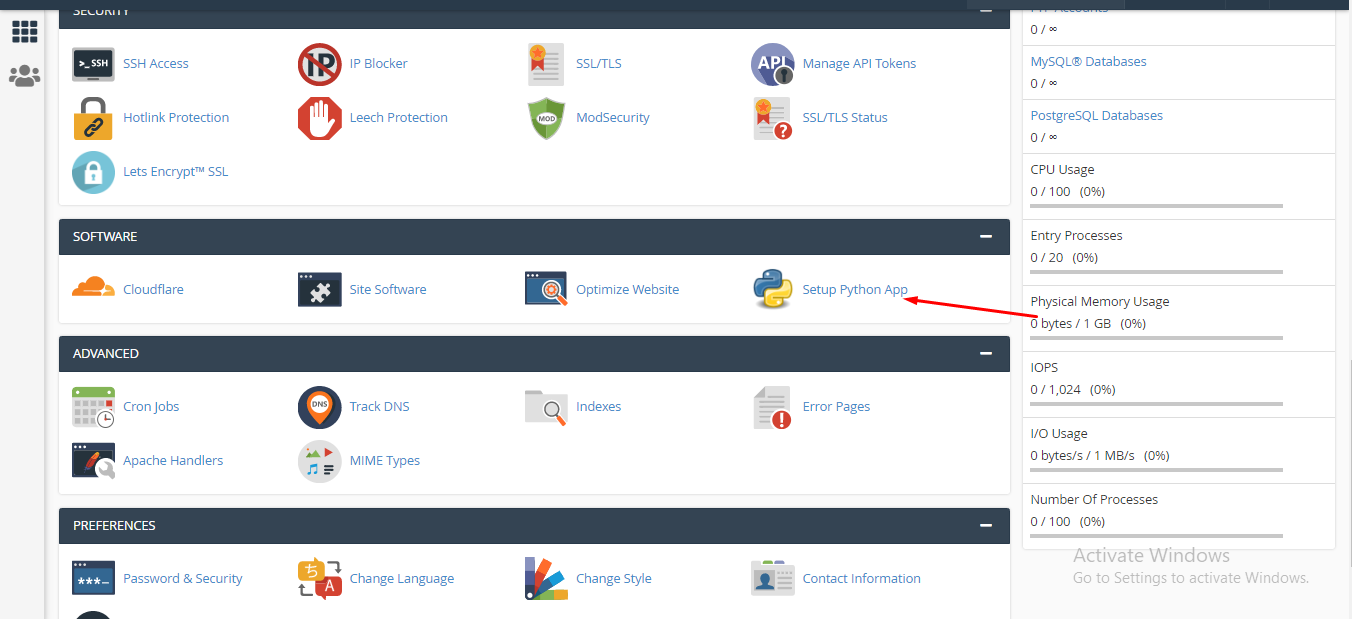
- Click Setup Python App → Create Application

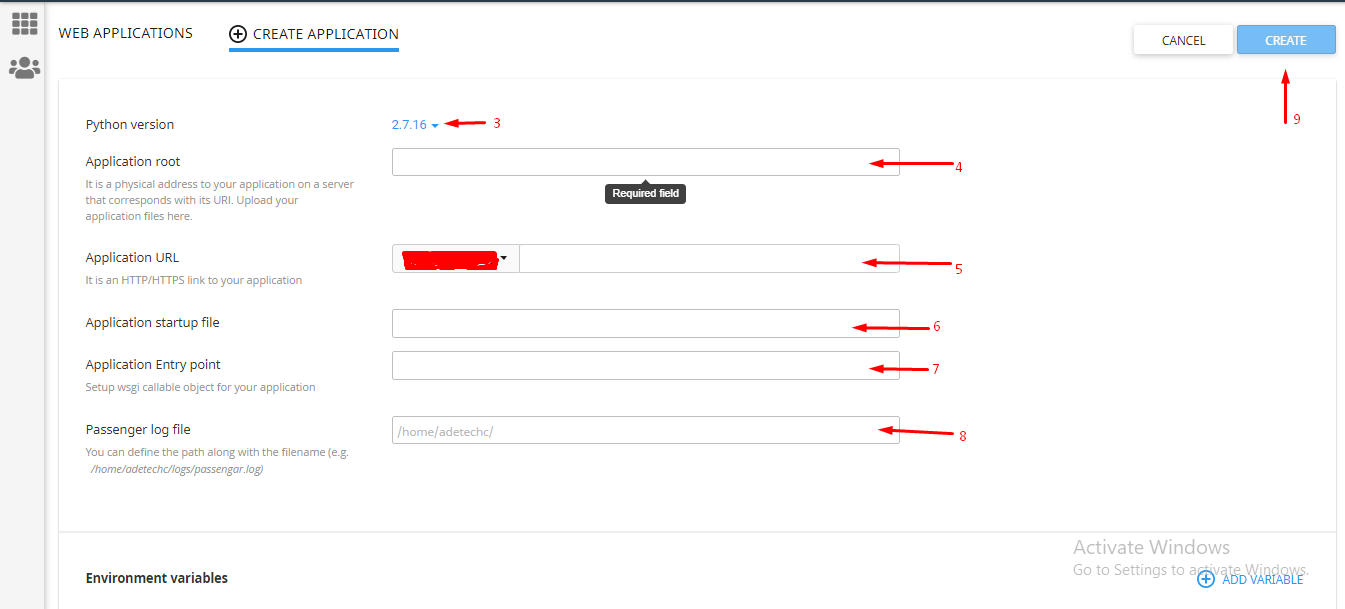
- Choose a compatible Python version.
- Set the Application Root to your app’s folder (cannot be directly under public_html, e.g., public_html/FlaskApp).
- Set the Application URL you want for your app.
- Set the Startup File to your app.py file’s path (e.g., /home/username/public_html/FlaskApp/app.py).
- Set the Entry Point to your app’s name as declared in app.py.
- Set the Passenger Log File path for error logs.
- Click Create.
3. Restore Your App.py File
Replace the auto-generated app.py content with your original backup file.
4. Install Dependencies
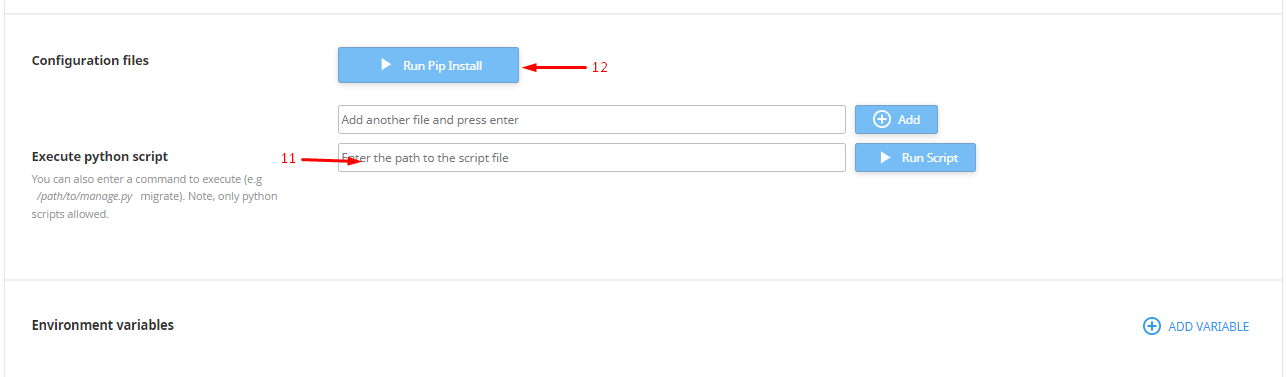
- Input the full path to your requirements.txt file under Configuration Files (e.g., /home/username/public_html/FlaskApp/requirements.txt).
- Click Add.
- Click Run Pip Install to install all required packages.
5. Restart Your Application
Once dependencies are installed, restart the app to make it live.