
- Login to your client area on WhoGoHost
- On the dashboard, scroll down to Your Active Products/Services and locate CodeGuard among the purchase of the product.
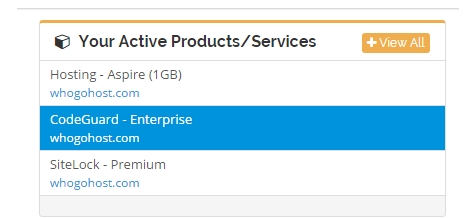
- Click on it. You will be redirected to a page that shows an overview of your CodeGuard service.
- Scroll down to Codeguard Management Dashboard, and click the Manage Codeguard button
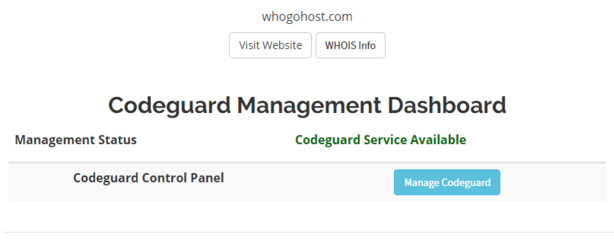
A new tab will be opened on your browser to help you manage it. - On the top right of the new tab, click on SETTINGS-> ACCOUNTS. The accounts page will load.

- Scroll down to Backup Retention Settings section and select the option you prefer

The new option is automatically saved. The backup retention setting applies to all websites and databases on your account.
- Home
-
Store
- Browse All
- Linux Hosting
- WordPress Lite
- WordPress Hosting
- JavaScript Hosting
- Python Hosting
- Reseller Packages
- DC Google Workspace
- Microsoft 365
- GO54 Website Builder
- SSL Certificates
- Jetpack WordPress Backup
- Managed Wordpress Support
- Professional Email and Workspace
- Website Security
- Website Backup
- Register a New Domain
- Transfer Domains to Us
- Announcements
- Knowledgebase
- Network Status
- Affiliates
- Contact Us
-
More
